Look inside almost any Accounts, Sales or Project Management team and you'll find the same mess: a dozen Excel files, each prepared by a different person, each named "final_v3." Numbers don't match, nobody trusts the latest version, and pulling one clear picture for management means a half-day of copy-paste. The data isn't the problem, the scatter is. Here's how to turn that clutter into a single dashboard that stays current on its own.
The idea in one line
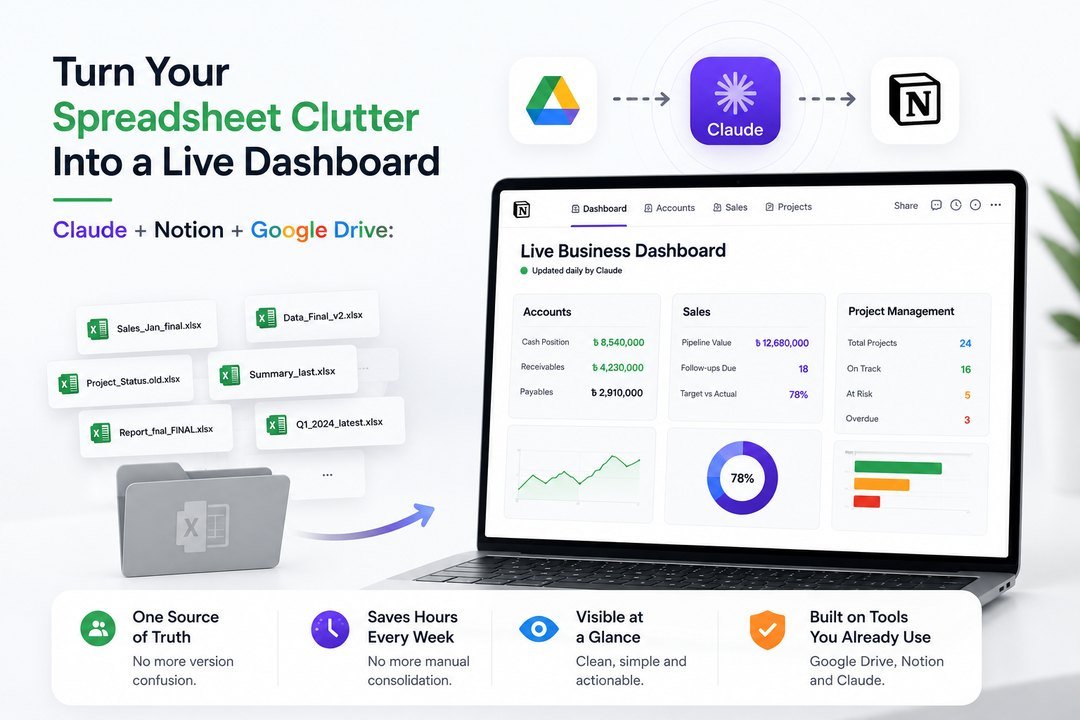
Keep working in the spreadsheets you already have. Let Claude read them from Google Drive, organise the numbers into a Notion database, and refresh a clean dashboard every day, so everyone sees one live source of truth instead of arguing over versions.
How it works (no rebuild required)
- Your files stay put, the team keeps saving their Excel sheets to a shared Google Drive folder, exactly as they do now.
- Claude reads and tidies, Claude Cowork opens those files, pulls the key figures, and drops them into a structured Notion database.
- Notion shows the dashboard, tables, status views and simple charts that anyone can open on a phone or laptop.
- It updates daily, Claude re-checks the folder each day and refreshes the numbers, no manual consolidation.
What each function gets
| Function | What the dashboard shows |
| Accounts | Live cash position, receivables and payables pulled from scattered sheets into one view. |
| Sales | Pipeline, follow-ups due and monthly targets vs actuals, updated daily, not monthly. |
| Project Management | Task status, deadlines and who-owns-what across every project team, on one board. |
Why it beats the Excel folder
- One version of the truth, no more "which file is latest?" Everyone reads the same live board.
- Instant management reports, leadership opens the dashboard instead of waiting for someone to compile it.
- Nothing to migrate, the team keeps its Excel habits; only the consolidation and reporting get automated.
- Visible at a glance, clutter becomes a clean status view your whole function can trust.
What it costs
- Notion and Google Drive, free plans are enough to run this for most teams.
- The only paid piece is Claude, and it isn't limited to dashboards: the same subscription drafts reports, cleans data and answers questions about the numbers.
- Net result, you're not buying a reporting tool; you're getting an assistant that maintains your dashboard and helps with the rest of the work too.
Bottom line
Every function already has the data, it's just trapped in a folder of competing spreadsheets. Point Claude at that folder, let it build and refresh a Notion dashboard daily, and you replace a half-day of consolidation with a single live view everyone trusts. Start with one function's messiest folder, and let the clutter turn into clarity.